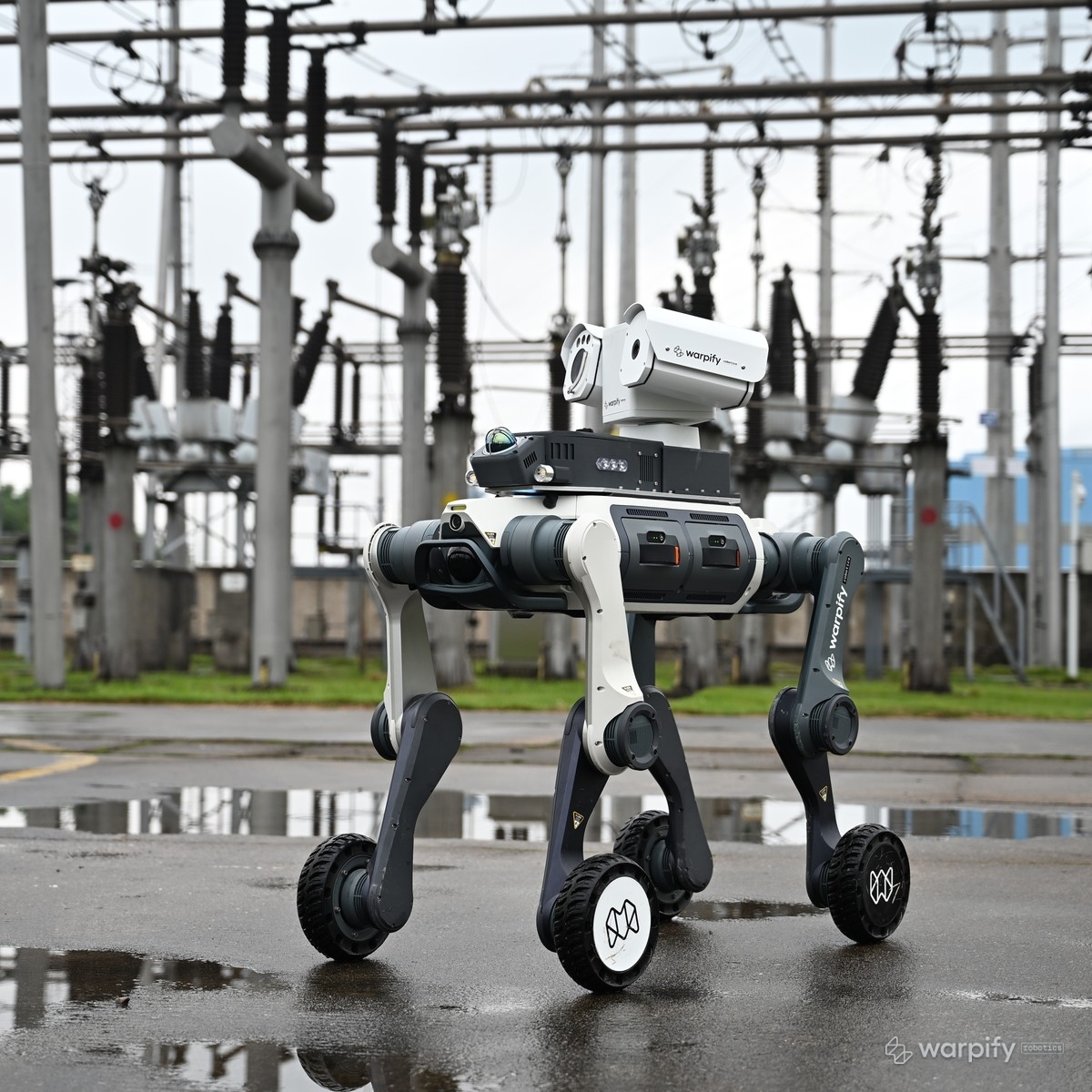
Robot Inspection at an Industrial Gas Plant in Wuhan
Argus M20 runs autonomous equipment checks and security patrols at an industrial gas plant, capturing gauges and screening ambient air for gas anomalies.

October 20, 2026 field capture · Wuhan, China
Warpify Robotics deployed Argus M20 at an industrial gas plant for autonomous equipment inspection and ground security patrol. It records instrument and equipment observations, pairs visible and thermal views of machinery and tanks, and carries an onboard detector for ambient gas screening. Site Security uses the cameras and two-way audio to review activity along shared corridors. The system entered routine operation in November 2026.
- Facility. Industrial gas plant at WISCO · Wuhan, China
- Field capture. October 20, 2026 · machinery aisle and tank-yard views from Argus M20
- Review roles. Plant Operations and Safety assess equipment and gas observations; Site Security verifies access cues.
Why the gas plant needed repeatable rounds
A workable inspection round has to give the next shift a record it can verify. Around oxygen and nitrogen lines, steelworks fuel-gas utilities and the air separation equipment, Plant Operations may need to confirm an instrument indication, request an atmospheric sample or take a second look at a warm surface. Site Security has a separate job: check access along the same corridors and decide whether an event needs a person on site.
A technician walking the round can identify an instrument and change position to avoid glare. A remote reviewer needs the same context in the record: an overview that identifies the panel and a close-up that resolves the dial and units. A gas sample needs its own location and time. At a shared crossing, a patrol view needs to show enough of the approach to distinguish routine work from activity that needs follow-up.
The Argus M20 system at the gas plant
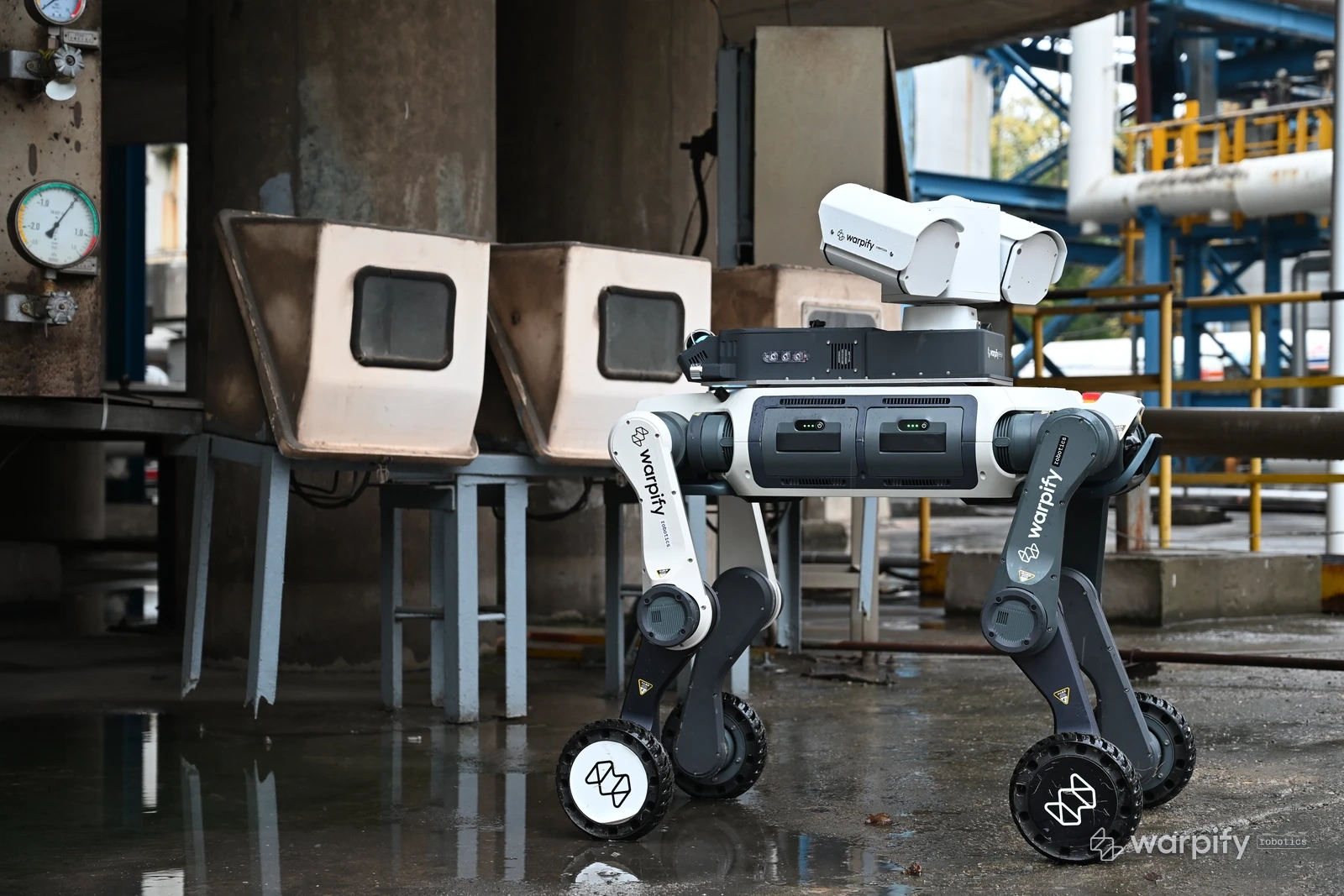
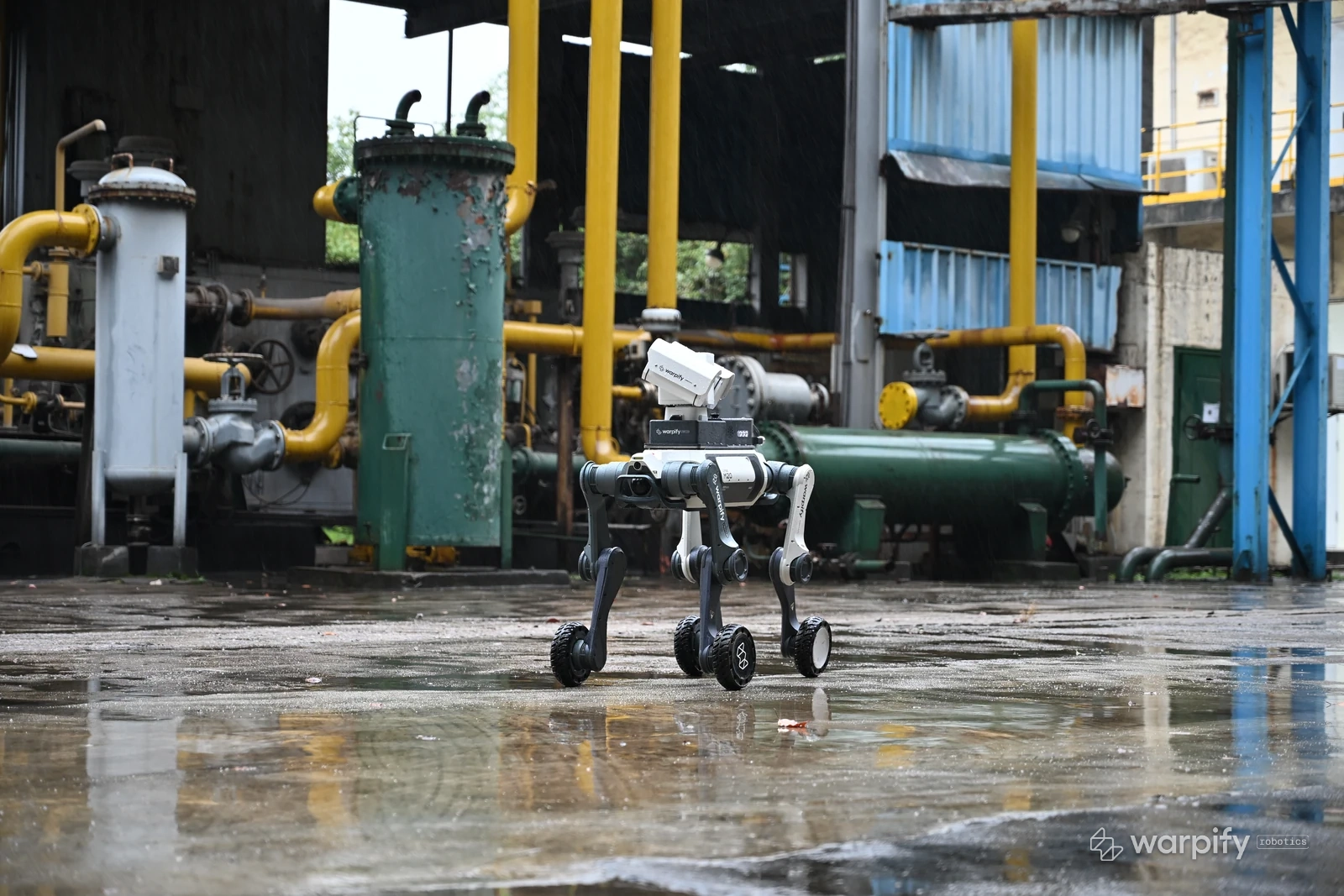
We deployed a wheeled Argus M20 with LiDAR for mapping and route navigation, an automatic charging dock, a dual-spectrum pan-tilt-zoom (PTZ) camera, two-way audio and the Argus cloud dashboard. Visible video supplies asset context; thermal imaging can help screen exposed surfaces and guide a second look in low light. Person detection, possible fire cues and unusual sound can prompt an operator to look or listen. The plant's response procedures and fixed safety systems govern what happens next.
Argus M20 can carry an optional acoustic camera that detects unusual sounds and maps them onto the visible image. Maintenance teams can use the sound map to pinpoint possible leaks at pressurized fittings and investigate signs of mechanical faults in pumps or compressors.
Argus M20’s onboard detector measures oxygen (O₂, 0–30% by volume), carbon monoxide (CO, 0–1,000 ppm) and combustible gas (0–100% LEL, where LEL is the lower explosive limit) in the surrounding air. Plant Operations and Safety select the channels, sampling conditions and response criteria for each approved location.
What the machinery aisle capture shows
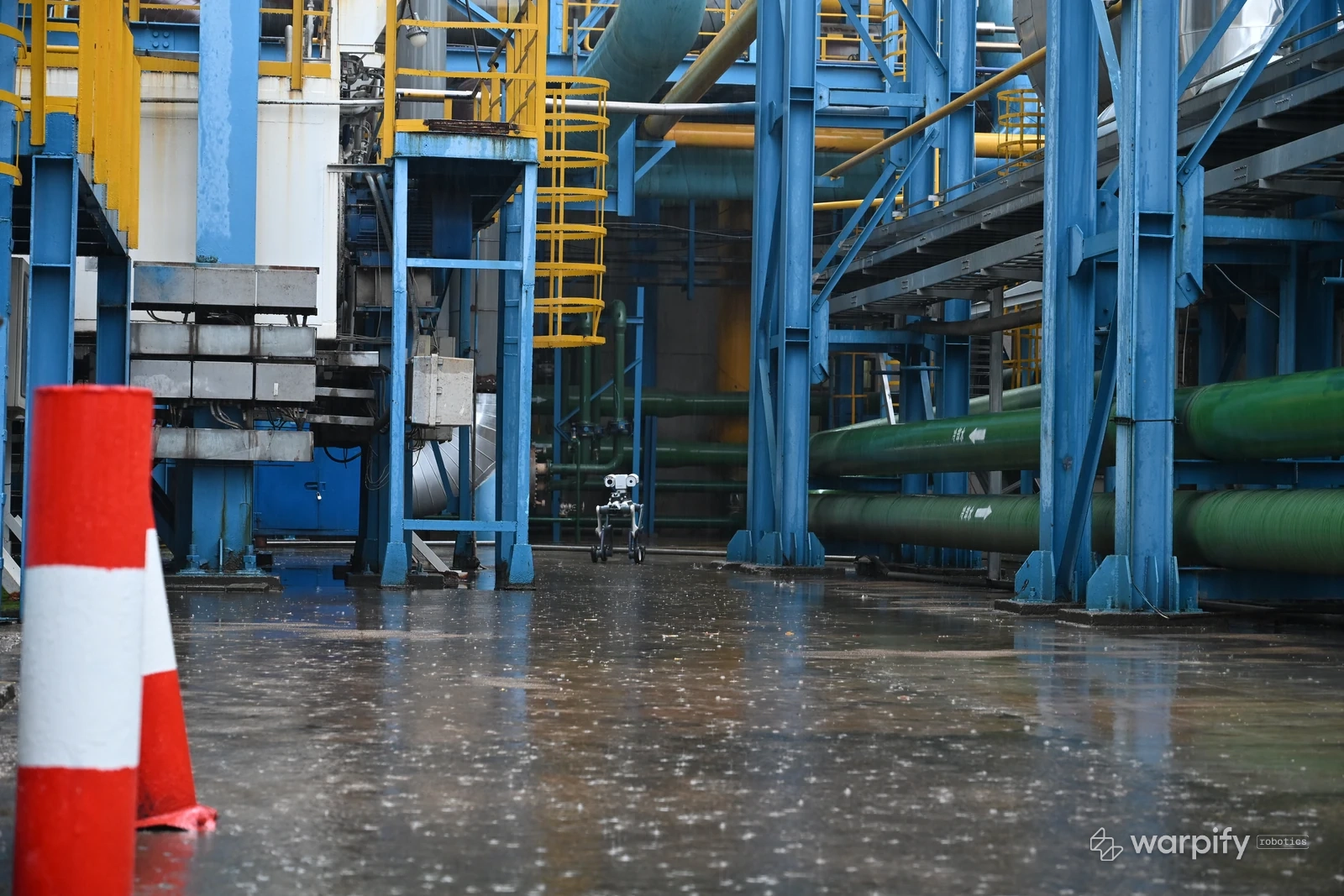
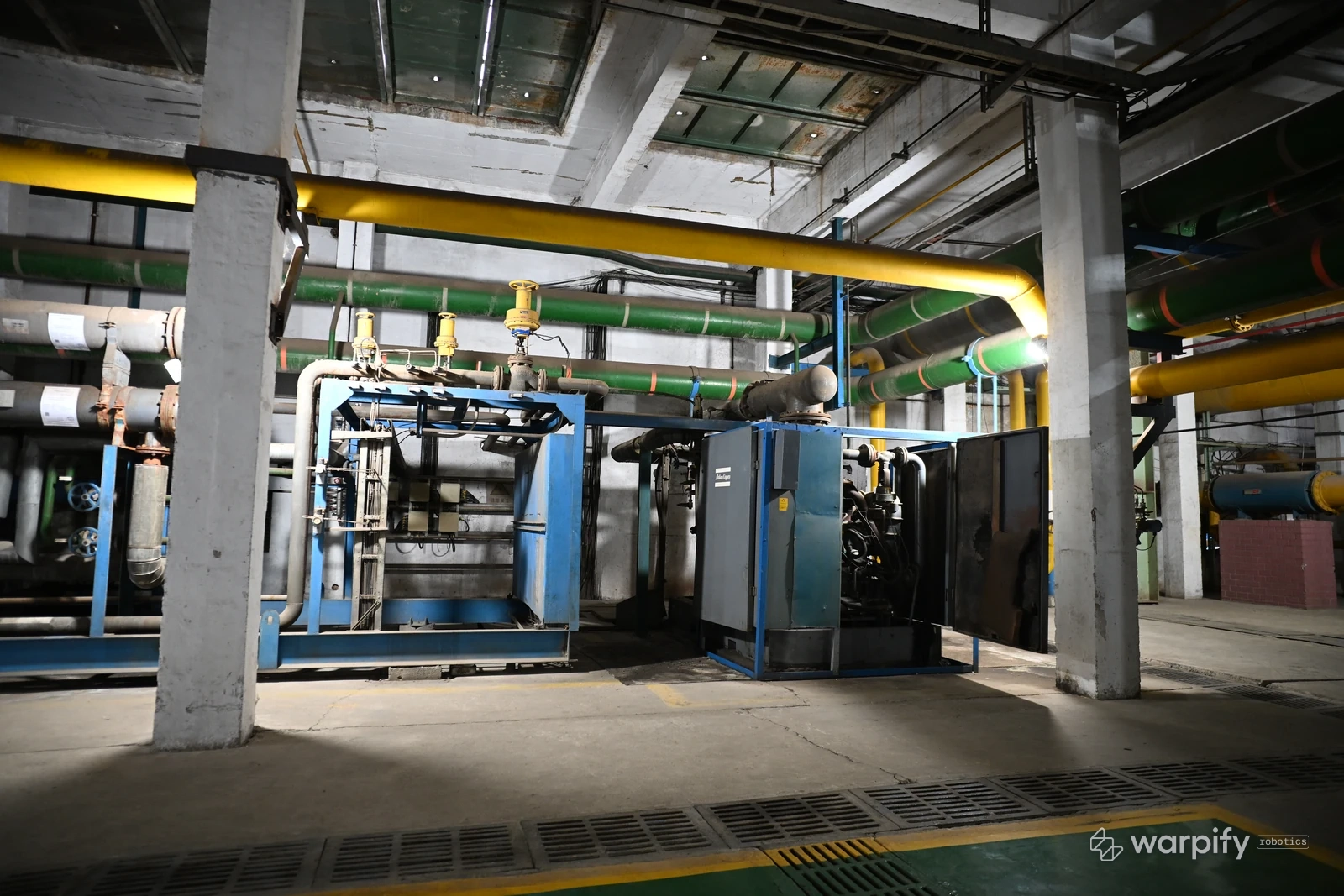
In the October 20 field photograph, a yellow pipe bend, a pale cabinet and a striped base locate the machinery at the end of the aisle. Those landmarks match the visible view in the dashboard. The recorded thermal view shows 37.6 °C as the maximum displayed for the selected image region. The image identifies the surface for a repeat view. Comparing captures requires comparable angle, distance, thermal settings and operating conditions.


Argus on the equipment approaches
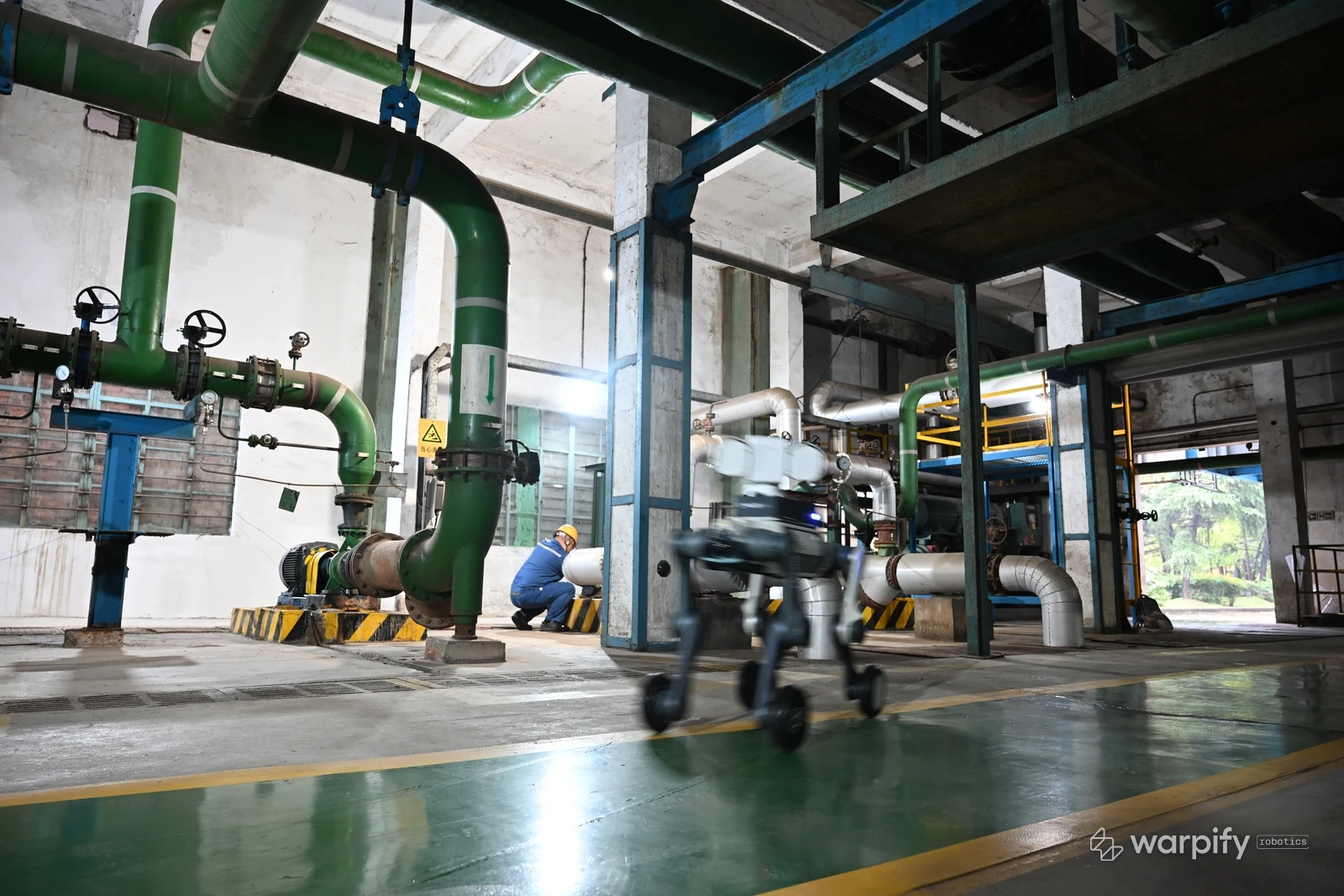
Field footage follows Argus through the pipe gallery to an instrument panel (0:12.5–0:22) and the machinery aisle. At 0:30–0:38 the paired camera views show the same machinery bay. The panel sequence locates the instrument; use a closer view to confirm a reading. Open field film (0:57.5).
An exterior view of the tank yard
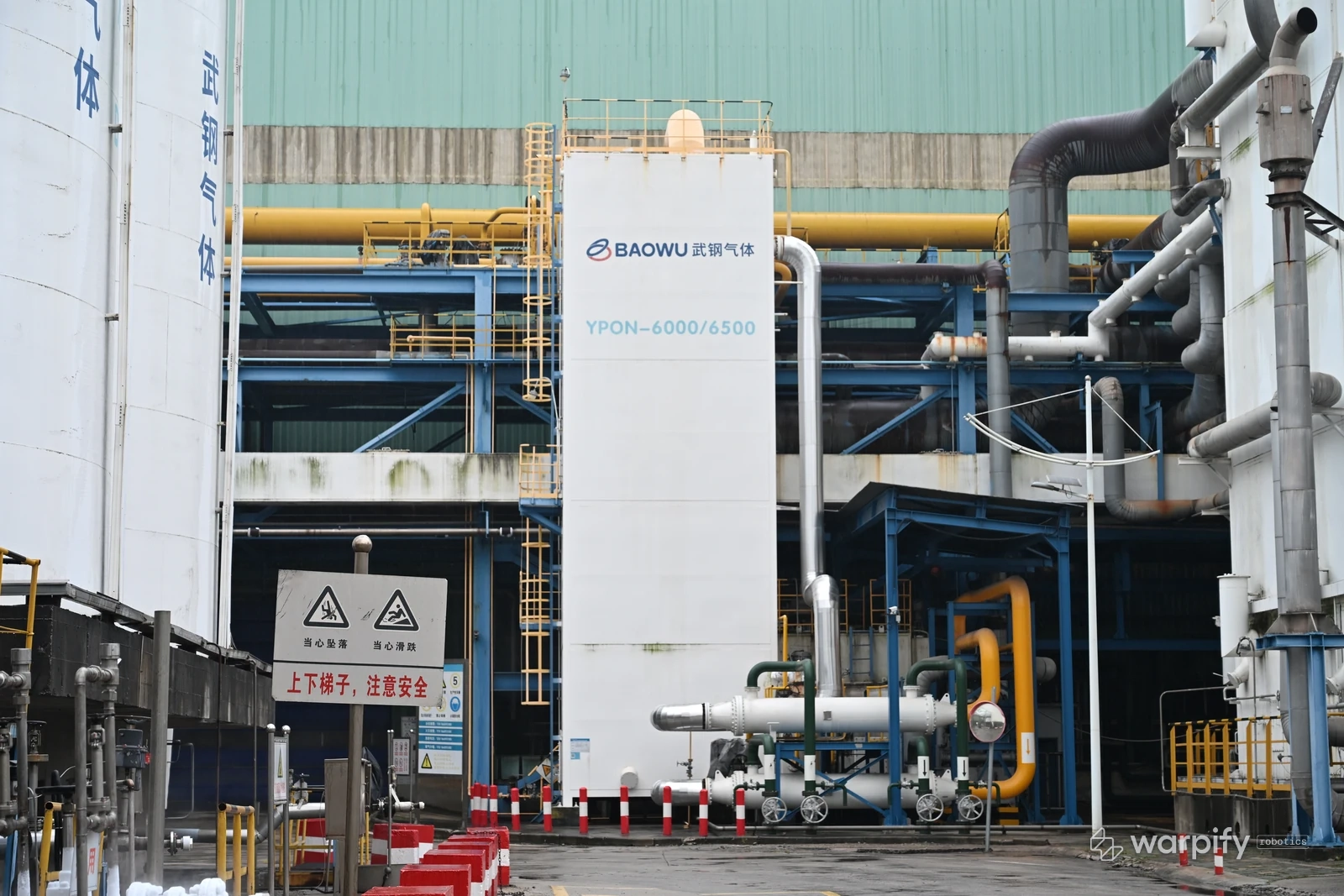
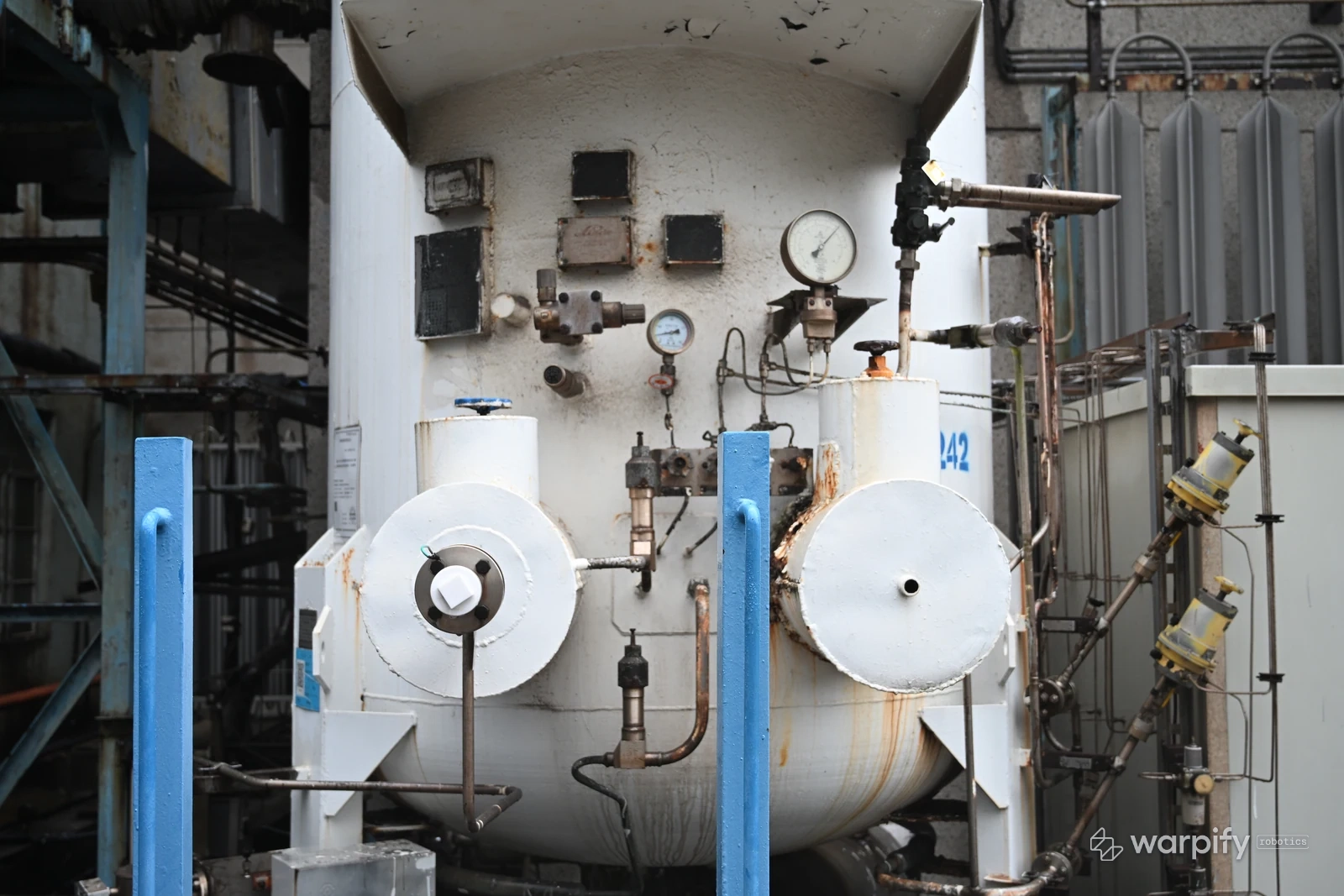
The tank arrangement and blue pipe supports tie the October 20 site photo to the dashboard view. The thermal panel displays 41.2 °C as the selected region maximum in that frame. The visible image locates that region on the tank exterior so a reviewer can compare the same surface on a later round. Ambient gas screening uses separate readings from the onboard detector.

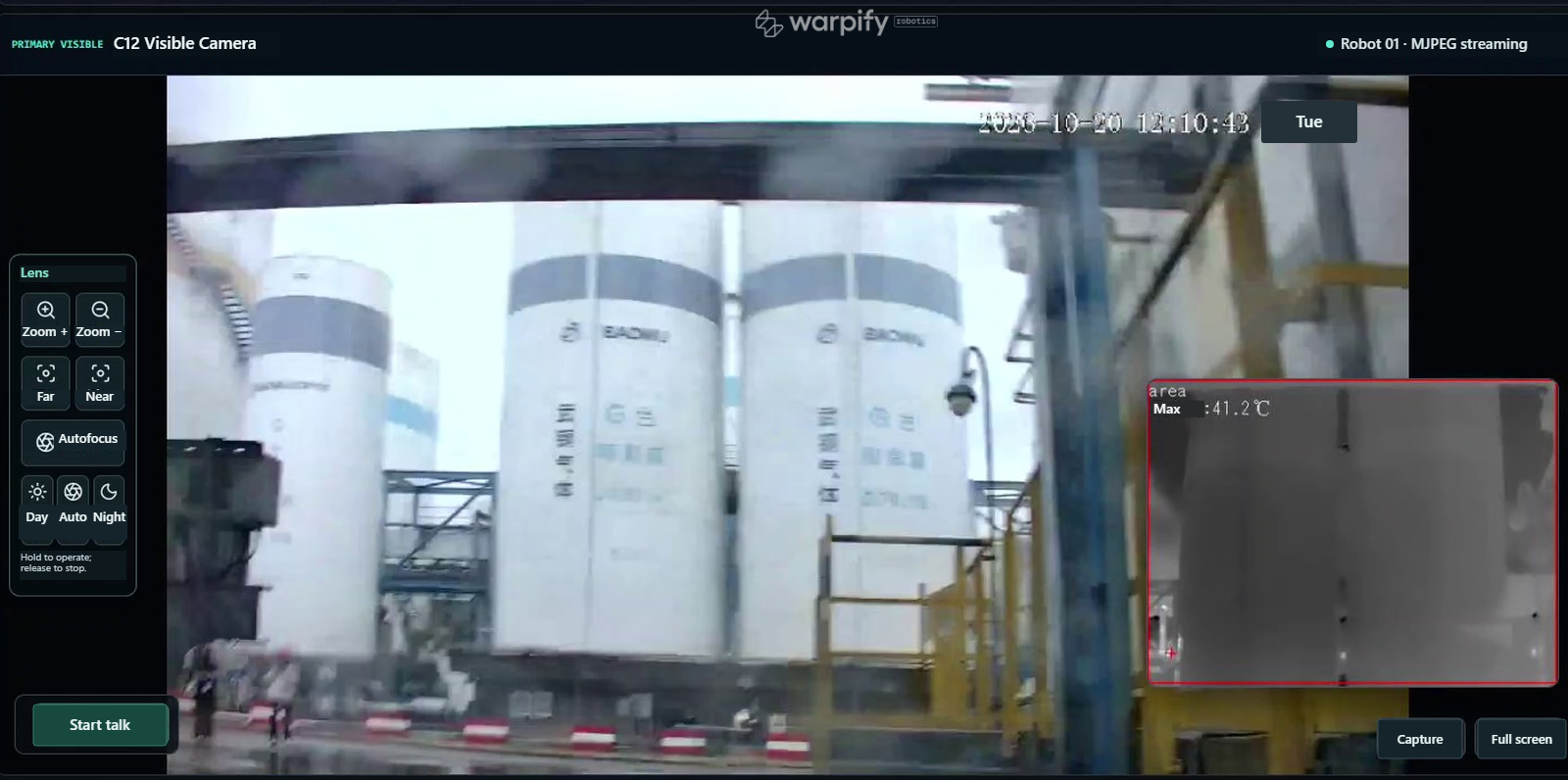
On a repeat pass around the tank perimeter, Argus AI can analyze visible images of the tank exteriors and flag possible surface cracks. The image and its route checkpoint give Plant Operations a place to review and, if needed, request a closer view.
Equipment rounds and corridor patrols
Equipment rounds use designated stopping points for instrument images, thermal views and ambient gas screening. Plant Operations reviews instrument images with their asset IDs and timestamps. Safety and Plant Operations review ambient gas samples with their location, time and sampling conditions. Maintenance receives temperature alerts for follow-up.
Ground patrol uses the shared lanes for a separate security task. At the east corridor, the visible and thermal views give Site Security context for checking access. The duty operator can request another view or use two-way audio to speak with someone on site.
Dock-to-dock inspection and patrol
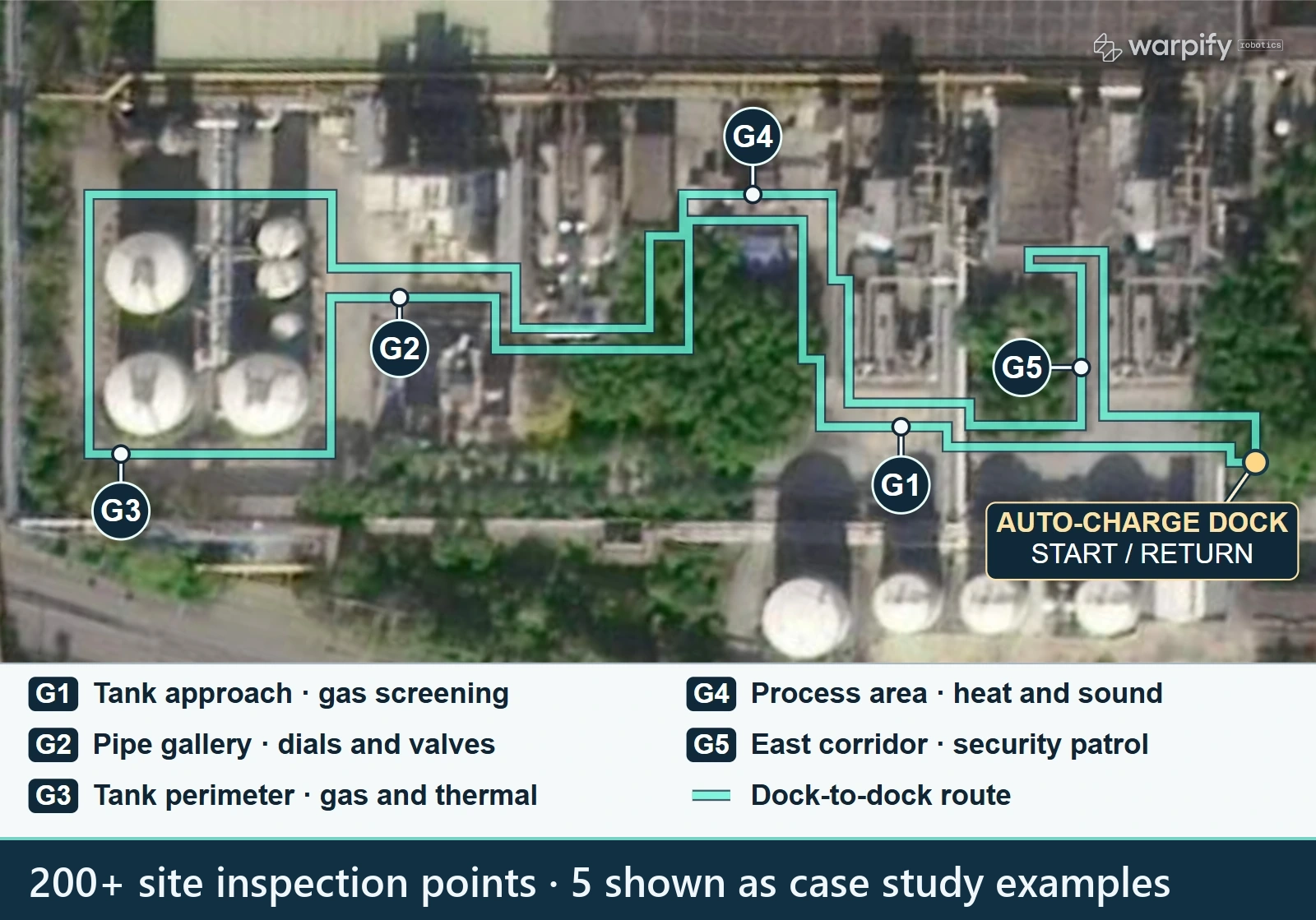
Argus starts at the east automatic charging dock, follows its assigned inspection or patrol route, and returns to the same dock to recharge. The gas plant has more than 200 inspection points across the site. G1–G5 show how checks are organized at five example checkpoints, from the tank approach and pipe gallery to the process area and east corridor.
What Argus checks at each stop
- G1 · Tank approach. The ambient gas check uses a sampling position approved by the site. The sample record identifies the gas channels, location and time for review by Plant Operations and Safety.
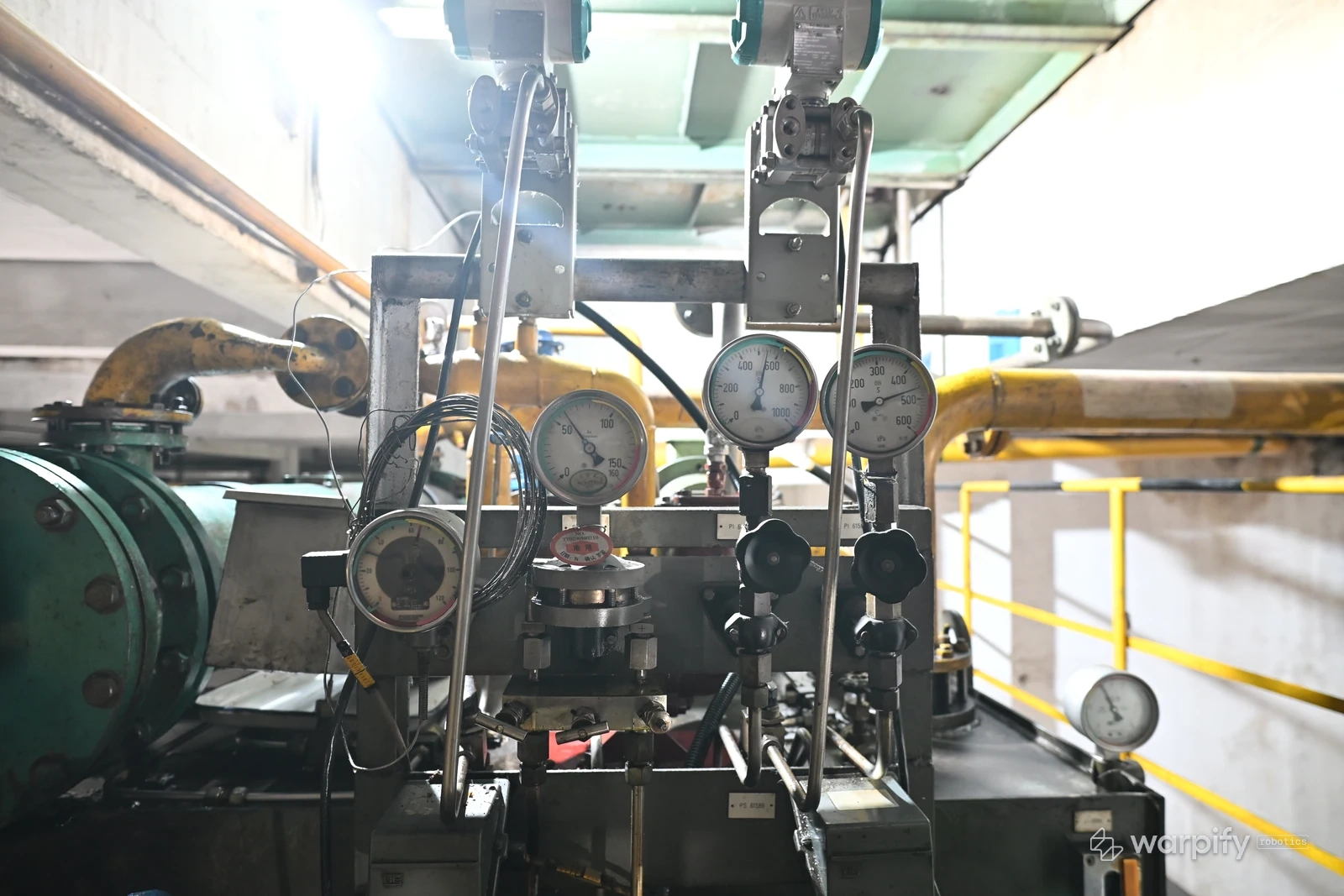
- G2 · Pipe gallery. Argus pairs a panel overview with a close-up of the assigned dial or valve position. Plant Operations checks the instrument, indication and units and can request a retake if the view is unclear.
- G3 · Tank perimeter. Argus captures visible and thermal views of the tank exterior and screens the surrounding air at the assigned point. Plant Operations reviews the images, and Safety and Plant Operations review the separate gas record.
- G4 · Process area. Argus captures a visible reference and thermal view of process equipment for Maintenance. The visible frame identifies the surface to revisit. Equipment state and capture conditions guide any comparison of heat or sound.
- G5 · East corridor. Argus captures the corridor approach for Site Security. The duty operator uses the view and timestamp to check access and can verify activity by requesting another view or using two-way audio.
“At shift handover, I need to know exactly what was checked. Argus runs the inspection round on its own and logs the gauge images and gas readings by checkpoint. I can pull up the right record and show the next shift where to take another look.”
Site Engineer, Industrial Gas Plant
Site context
The field visit was at WISCO Gas in Wuhan's Qingshan district, an industrial gas site in the steelmaking area.
How Plant Operations reviews equipment observations
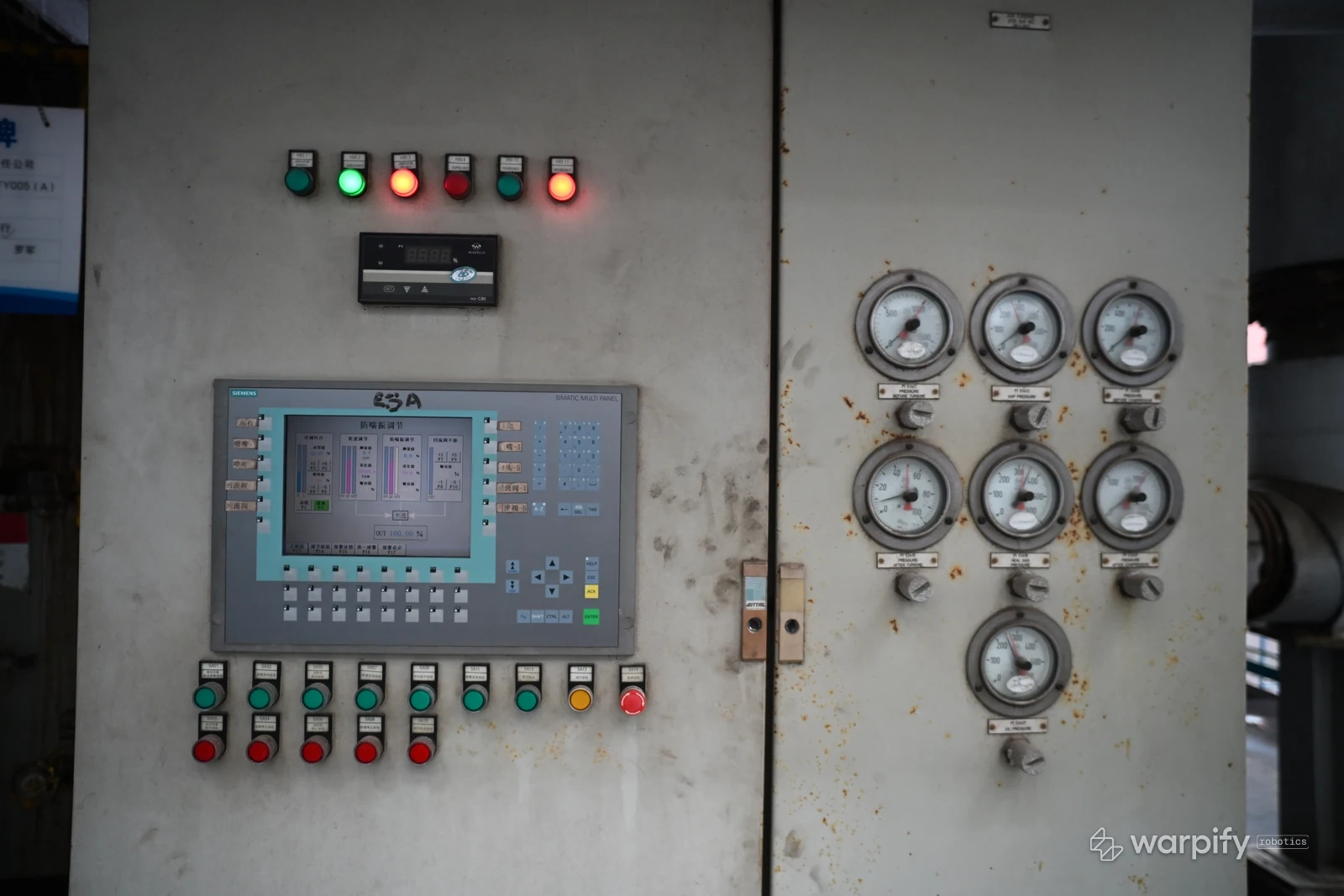
The October 20 film and photos locate the panel along the pipe gallery and show how Argus approaches it. A reviewable G2 observation needs a close-up that identifies the assigned gauge and shows the needle, scale and units. If glare or the viewing angle makes the reading unclear, log the point for a retake or a technician visit.
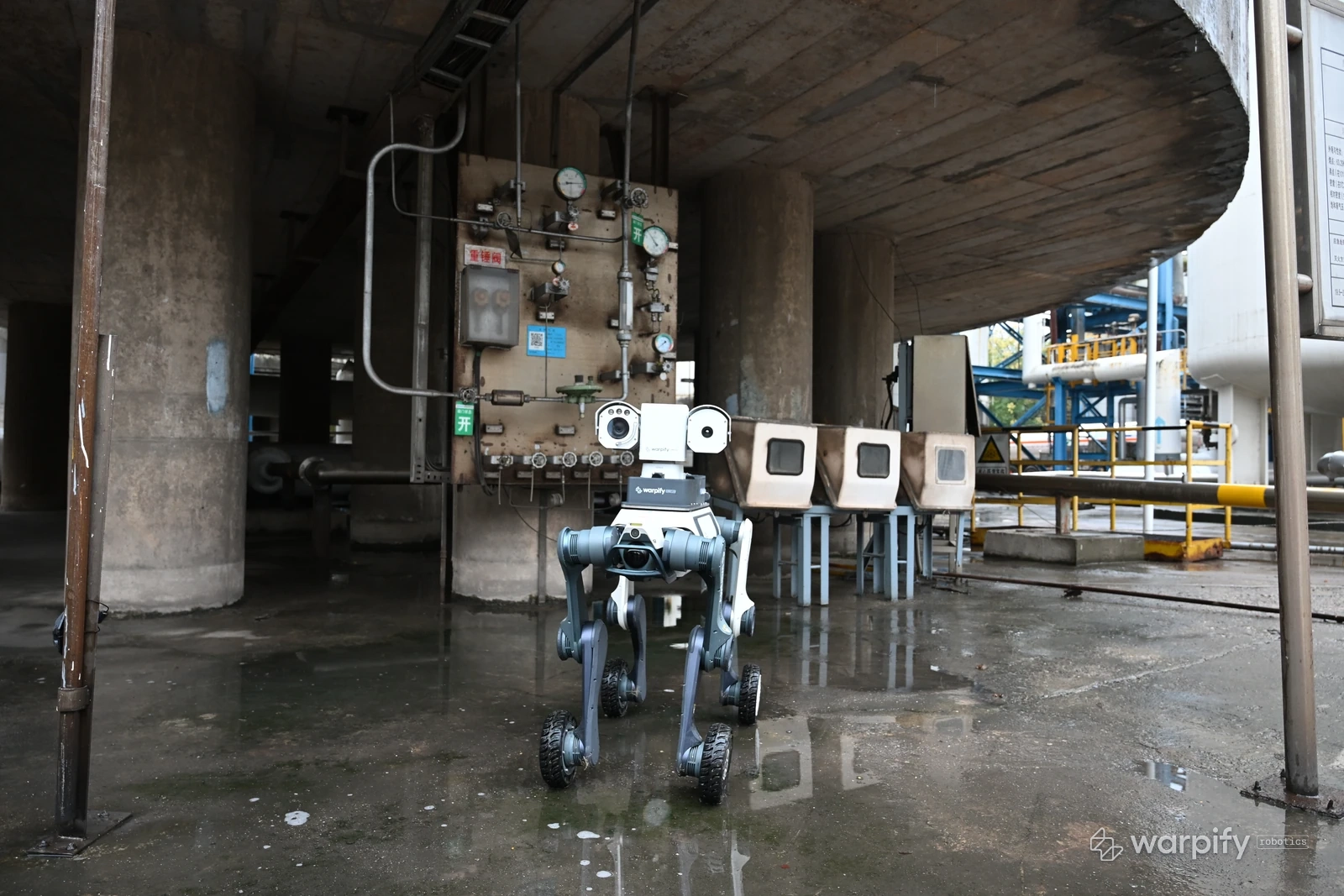
Keep process pressure, ambient gas and surface temperature in separate records. Each exception should carry the checkpoint, asset ID, time, original image or sample record and the applicable site rule. Plant Operations reviews instrument observations, Safety reviews atmospheric exceptions with Operations, and Maintenance reviews surface temperature alerts.
How a pressure alert reaches Plant Operations
In the G2 routing check, a 7.8 bar test input exceeded the 7.5 bar rule. The dashboard shows the field photo of the gauge panel alongside the test asset ID, checkpoint and destination inbox.
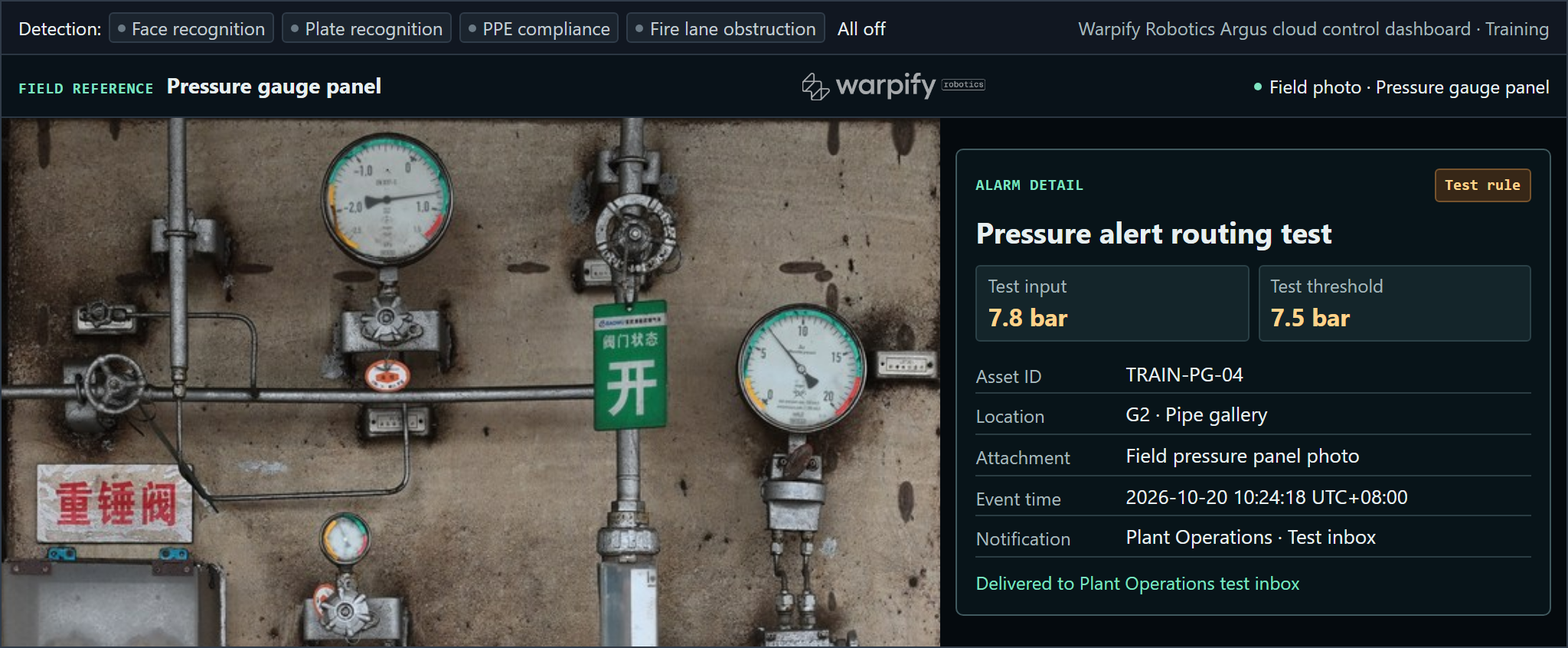
For a pressure exception, Plant Operations compares the close-up with the assigned gauge and site-approved limit. If the reading needs verification, the reviewer can request a repeat capture or a technician check.
How Site Security reviews a corridor alert
Site Security reviews person detections in the utility corridor using the camera views, zone and timestamp. In low light, the thermal view helps locate the person and the visible view gives the operator context for the access check.
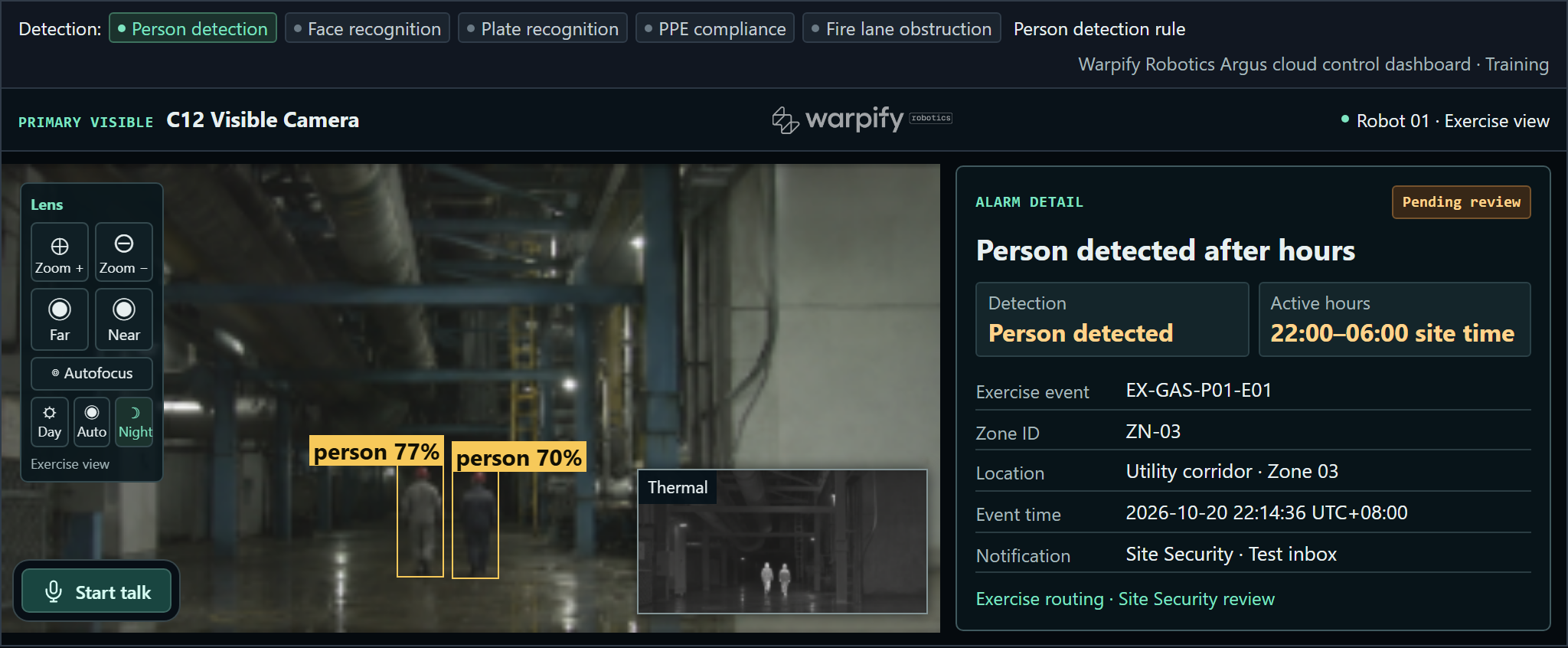
The duty operator checks the authorized-work list against the location and time. A closer view or two-way audio helps verify activity before the operator decides whether to send a guard. The site response procedure governs follow-up on possible fire or unusual sound.
Deployment results
The October 20 field record pairs the machinery aisle and tank yard photos with visible and thermal captures from Argus. Plant Operations can match the equipment in the dashboard to a location on site, and Maintenance can use the same view to specify what needs another look.
Verifying the temperature alert to Maintenance
A repeatable thermal view of a rotating equipment housing gives Maintenance a surface to revisit when comparing temperature patterns under comparable load and viewing conditions.
Actual overheating was uncommon during commissioning, so the field team used a deliberately low test threshold to trigger an alert from the available reading. The machinery aisle maximum of 37.6 °C exceeded the 37.0 °C test threshold. Maintenance received the alert, confirming that the routing test passed.
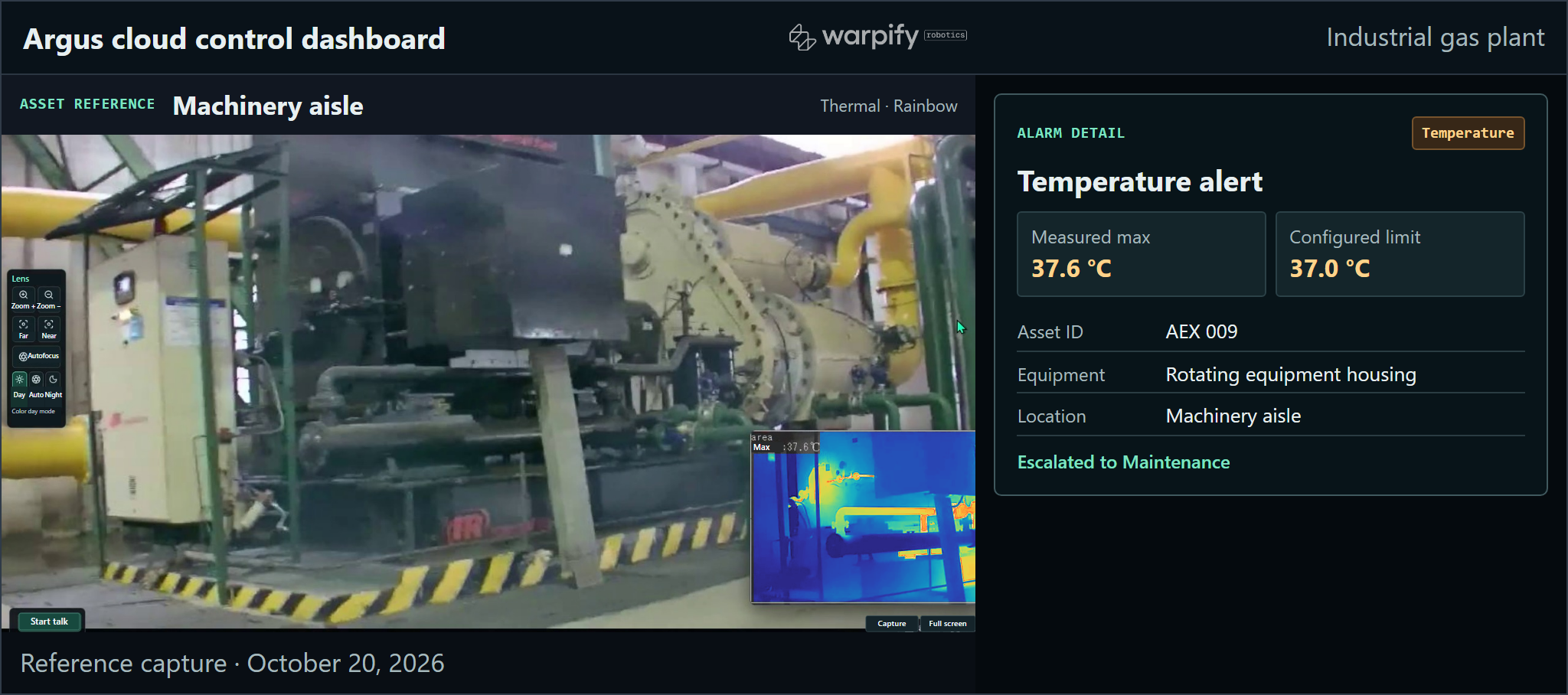
The alert gives Maintenance access to the associated image. The team can verify the surface and conditions, request a repeat capture or send a technician for a closer check.
Plan a facility inspection
Bring a permitted-lane plan, one priority instrument and the sampling or access concern your team wants to address. The route assessment sets the checkpoint, the required evidence and the team that receives it.
Request a gas plant route assessment
More field photos
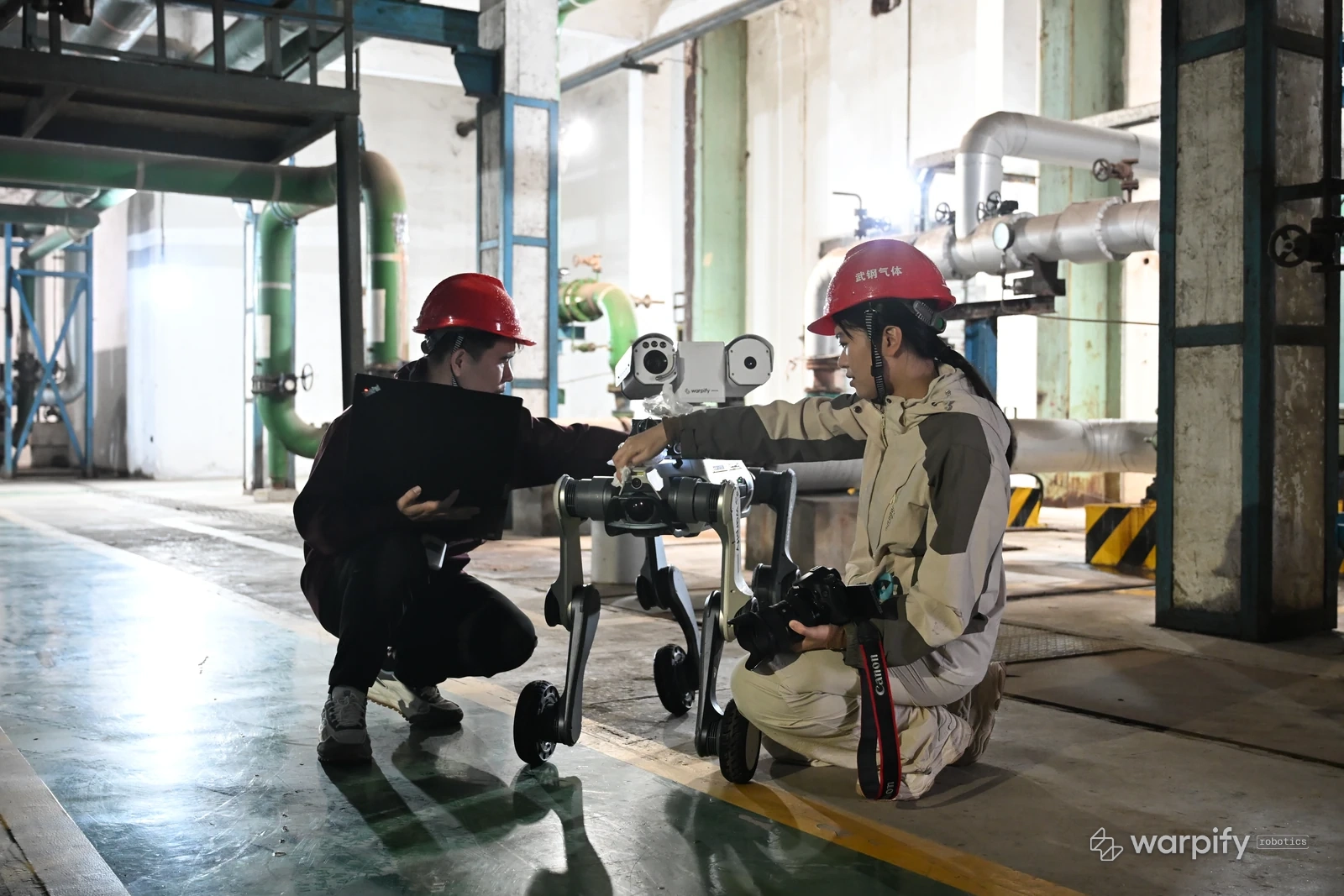
© 2026 Warpify Robotics. Commercial use of these field photographs requires prior written permission from Warpify Robotics.
Related reading
- Industrial inspection robots
- Ground security patrol robots
- EIGA guidance for cryogenic air separation plants

Iven Wang
Iven Wang is the Co-Founder of Warpify Robotics, specializing in the commercialization and deployment of robotic solutions. With a background in electrical engineering and product management, he works with manufacturers, integrators, and enterprise clients across industrial inspection, security, logistics, and Robotics-as-a-Service.
Subscribe to our newsletter today
Get practical robotics deployment insights, case studies, and planning guidance from Warpify Robotics.